On this page
article
Petiroc Digital Readout
Guide to using the Petiroc Digital Readout tool in Resource Explorer for downloading and analyzing data from Petiroc Frame Transfer when Petiroc ASICs are in digital mode.
Overview
The Petiroc digital readout blocks allow downloading data from Petiroc Frame Transfer when Petiroc ASICs are readout in digital mode.
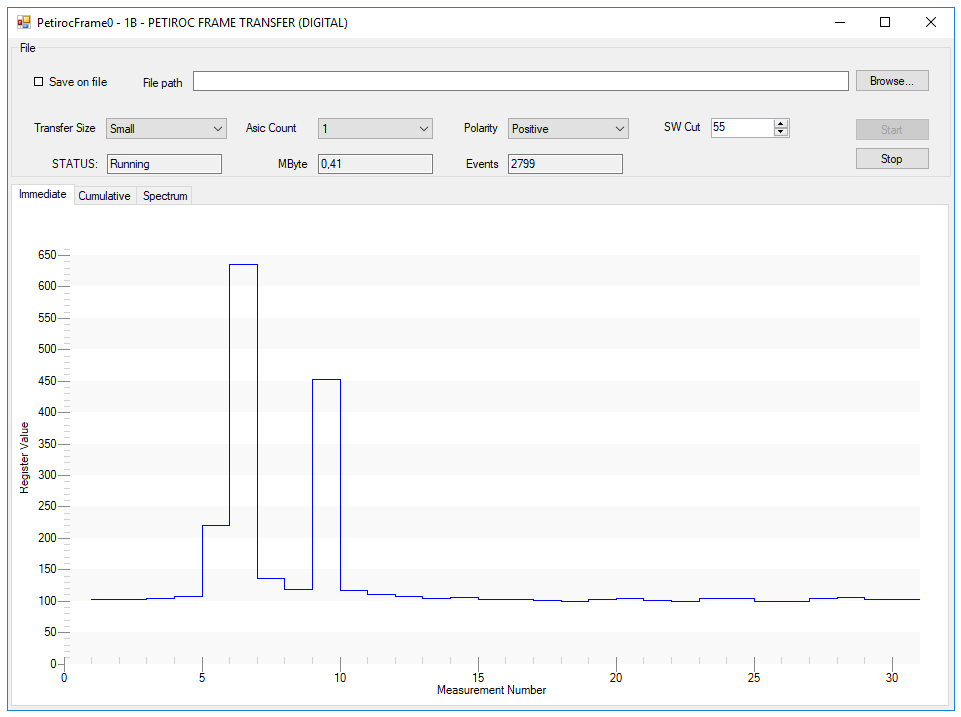
Data Display
The block displays the following data:
- Immediate view of the last packet of charge levels, pixel by pixel
- Cumulative view of the charge levels, pixel by pixel
- Spectrum of each channel
Functionality
The block performs the following operations:
- Downloads data from the Petiroc Frame Transfer
- Decodes the Petiroc Packets
- Makes calculations on the decoded data
Configuration Options
The block allows configuration of:
- Number of ASICs: Select how many ASIC to readout
- Signal polarity: Configure the polarity of the signal
- Software cut: Set the software cut to make zero suppression
Data Export
The interface allows saving decoded data to a CSV file.
Related Documentation
- Resource Explorer - Main Resource Explorer overview
- Petiroc Analog Readout - Analog mode readout
- List Module - Data download operations