Tree Menu
Guide to using the Tree Menu in SCI-Compiler for managing sub-designs, including creating, deleting, duplicating, exporting, importing, and updating sub-designs.
Overview
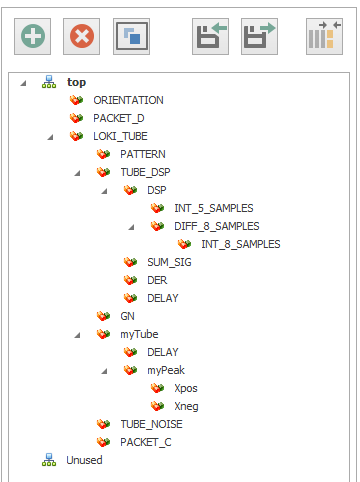
The Tree Menu displays the project structure and provides access to sub-design management operations.
Toolbar Buttons
The buttons on the top of the tree allow access to fast actions:
Create Button

Click this to create a new sub-design. The new sub-design will be added to the “Unused” category, indicating that it is not yet placed within the main design hierarchy.
Delete Button

Use this button to delete a selected sub-design from the project. Be cautious when using this, as it will remove the sub-design completely.
Duplicate Button

This button duplicates the currently selected sub-design. The duplicate will have the same parameters and properties as the original.
Export Button

Clicking this button will export the selected sub-design to a portable file format. This exported file can then be imported into another project, facilitating design reuse and sharing.
Import Button

Use this button to import a sub-design into the current project. This function allows you to bring in pre-existing designs and integrate them into your work.
Update Button
Update subdesign, check memory assignments and I/O coherency.
Opening Sub-Designs
Double-Click to Open
Double click on a sub-design to open it:
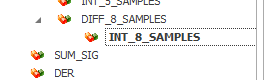
The sub-design name becomes bold and the sub-design diagram, memory assignments and notes are loaded in the main design area.
Right-Click Menu
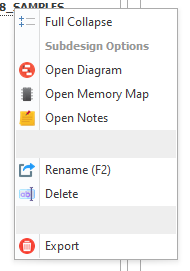
You can also right click on a sub-design to edit name (or press F2) and open it:
Out-of-Sync Indicator
When a sub-design is changed in any of its parts, SciCompiler marks it as out-of-sync.

To sync the design and update its I/O:
- Click on the Update button, or
- Simply save the project
Project Organization
The tree organizes sub-designs in categories:
- Root/Top Design: The main design sheet
- Used Sub-Designs: Sub-designs currently placed in the hierarchy
- Unused: Sub-designs created but not yet placed in the design
Related Documentation
- Hierarchical Design - Creating hierarchical structures
- Multichannel Design - Multi-channel implementations
- IDE User Interface - IDE overview