Hierarchical Design
Guide to creating hierarchical designs in SCI-Compiler using sub-designs and child sheets to organize complex projects in a root, branch, leaf style.
Overview
SCI-Compiler supports multichannel design and hierarchical design.
Hierarchical design and multichannel design are very related concepts: a design sheet can be included one or multiple times in a design in a root, branch, leaf style.
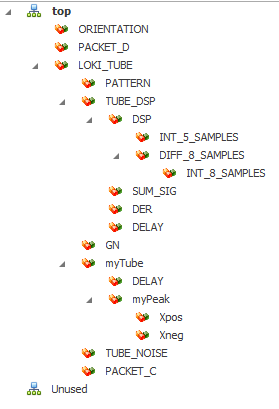
Starting a Hierarchical Design
In SCI-Compiler, starting a hierarchical design requires the creation of:
- Child sheets
- Sub-design symbols
Child Sheet
A child sheet is a normal page that can implement any logic block except hardware I/O and memory mapped peripherals.
This limitation is due to the fact that only the top sheet will have direct access to:
- I/Os (digital and analog)
- Communication interfaces
Child sheets can access I/O and registers using sheet ports.
Example Child Sheet
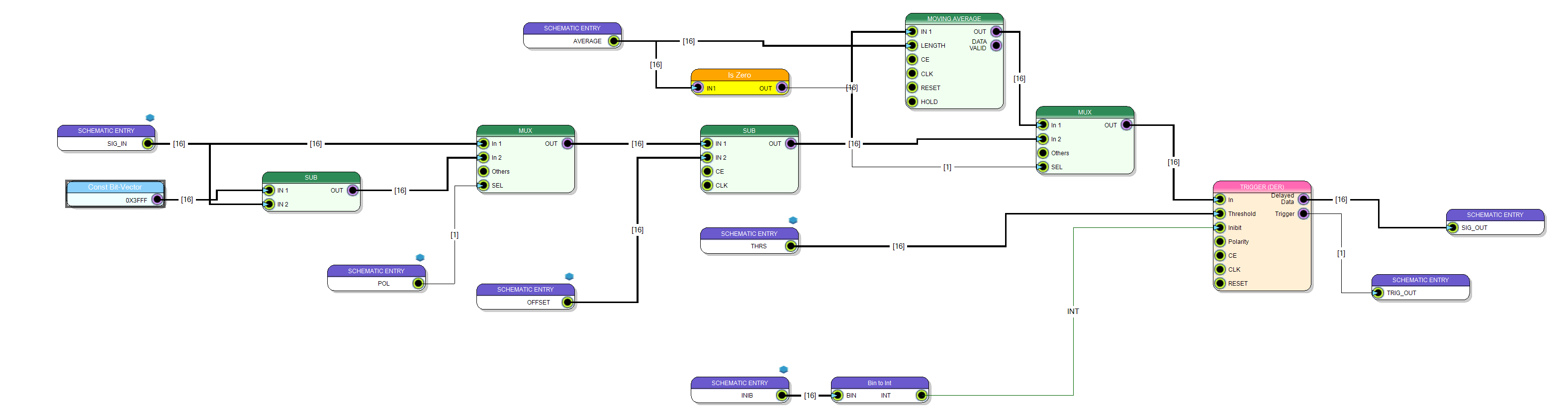
The following child-sheet (sub design) takes a signal, inverts the polarity, subtracts the offset and implements a trigger. To operate it needs the input analog signal and several configuration parameters.
Schematic Ports
Input and output signals/parameters are passed to sub design by Schematic port.
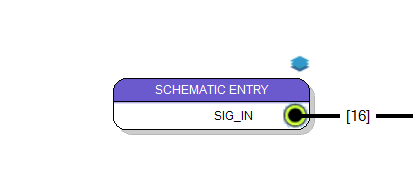
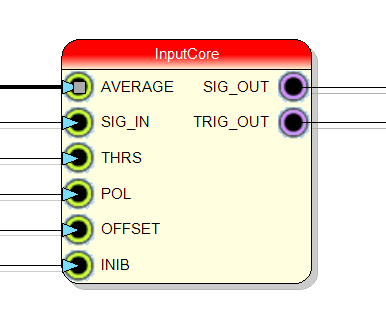
Schematic ports will appear as input/output pins on the sub-design symbol.
About Schematic Sheet Symbols
A schematic sheet symbol is an electrical primitive, used to represent a sub or child sheet in a hierarchical schematic organization or hierarchy org chart.
Sheet symbols also include schematic entries (port IN/OUT), which provide a work breakdown structure with net connection between parent and child schematic sheets, similar to the way that ports provide nodes between schematics in a top (single page) schematic design diagram.
The sheet symbols can be used to organize multiple schematics on a large design and provides users with the overall flexibility to view net connections across their entire project.
When defining the entries in the sheet symbol, the sheet entry names are then linked to the same name in their sub sheets.
Hierarchical Design Structure
The hierarchical structure allows:
- Top sheet: Main design with hardware I/O and memory mapped components
- Branch sheets: Intermediate level sub-designs
- Leaf sheets: Bottom level functional blocks
Each level communicates through schematic ports, creating a clear hierarchy and organization for complex designs.
Related Documentation
- Multichannel Design - Creating multi-channel systems
- Tree Menu - Managing sub-designs in the project tree
- IDE User Interface - IDE overview