What is SCI-Compiler
SCI-Compiler is a visual programming environment that enables scientists and engineers to design custom FPGA firmware for signal processing and data acquisition without requiring HDL expertise. It generates both FPGA bitstreams and software libraries, dramatically accelerating R&D cycles.
Introduction
SCI-Compiler (Scientific Compiler) is a revolutionary software platform developed by Nuclear Instruments that transforms how scientists and engineers implement custom firmware for signal processing and data acquisition.
Whether you’re a physicist seeking to unravel the mysteries of the cosmos, a medical researcher on the cusp of a new discovery, or an engineer designing the next generation of detectors, SCI-Compiler is your gateway to turning complex hardware into a symphony of synchronized signals and data.
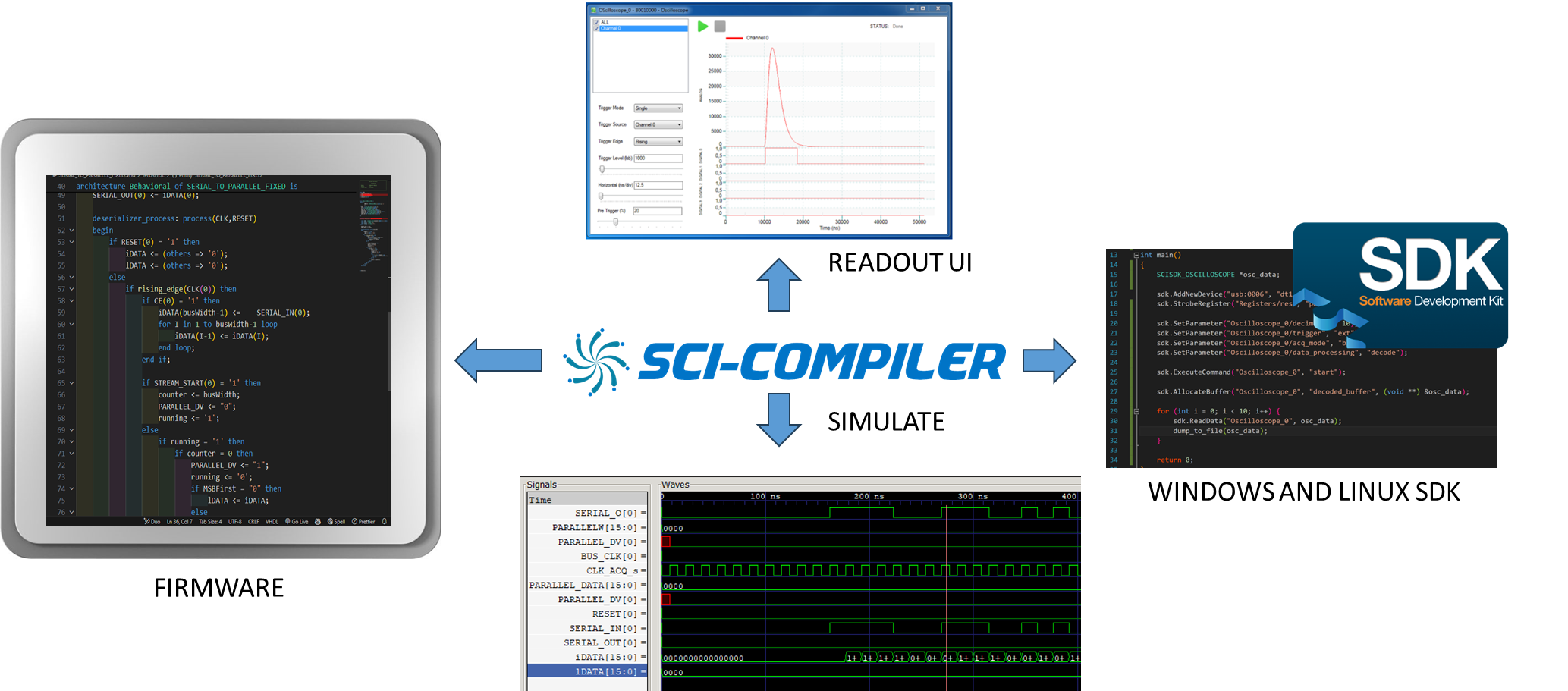
Instead of writing complex VHDL or Verilog code, users design their systems by connecting graphical blocks in a schematic-like environment. SCI-Compiler then automatically generates:
- FPGA bitstream ready to program the target hardware
- Software libraries for controlling and reading data from the design
- JSON firmware description for seamless SciSDK integration
Website: https://www.sci-compiler.com
The Evolution from Traditional Electronics
In the last 60 years of physics experiments, the traditional solution to implement trigger logic and readout systems involved using several function-specific modules connected with cables. The system function was defined by the kind of module used (coincidence, delay, digitizer, oscilloscope, TDC) and how they were interconnected.

The large number of cables and vendor-specific module configurations made debugging and maintaining complex systems with a large number of channels extremely difficult.
SCI-Compiler replaces entire racks of NIM/CAMAC modules with a single programmable digitizer.
The Challenge of Traditional FPGA Development
Design firmware for FPGAs demands proficiency in specialized programming languages such as VHDL or Verilog, coupled with an in-depth understanding of the electronic circuits that materialize when the FPGA compiler transforms the human-designed firmware into a machine-configurable file (bitstream).
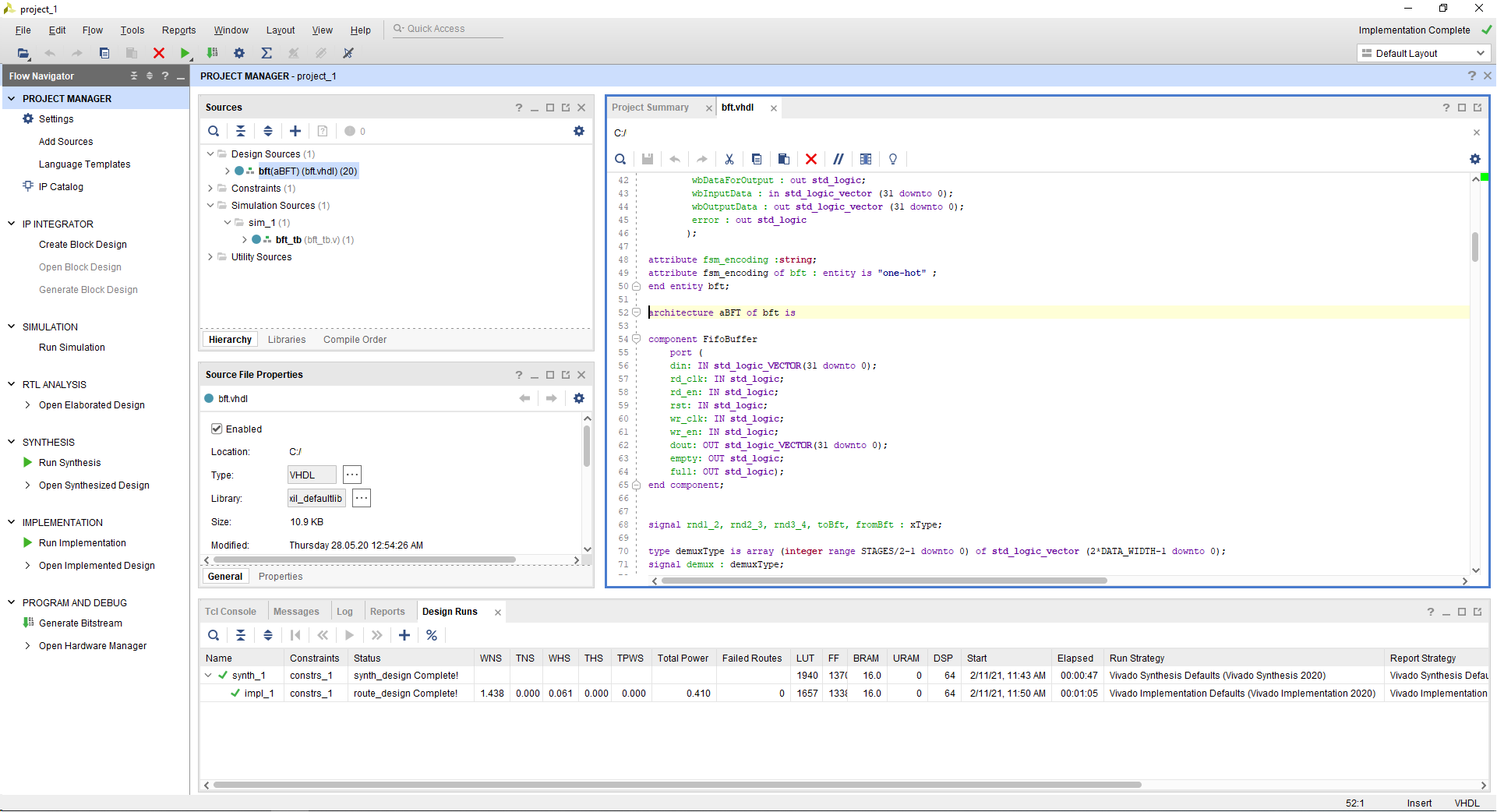
The compiler’s output more closely resembles an intricate electronic circuit rather than traditional software. This complexity significantly steepens the learning curve for those looking to harness the full potential of FPGA devices.
| Challenge | Description |
|---|---|
| Steep learning curve | VHDL/Verilog require months to master |
| Hardware thinking | Algorithms must be transformed into physical circuits |
| Timing constraints | Logic propagation delays must be carefully managed |
| Resource management | Limited logic elements, memory, and DSP blocks |
| Communication complexity | USB, Ethernet, VME interfaces require expertise |
SCI-Compiler eliminates these barriers entirely.
Why FPGA-Based Signal Processing?
Modern scientific instrumentation demands real-time processing of high-speed analog signals. Consider implementing a Multi-Channel Analyzer (MCA) that must:
- Analyze every ADC sample at rates of 100+ MHz
- Apply trigger discrimination to separate signals from noise
- Perform exponential deconvolution (pole-zero compensation)
- Calculate energy using optimum filters (trapezoidal, CR-RC², Gaussian)
- Estimate and subtract baseline
These operations require 10+ GFLOPS (10 billion operations per second) — far beyond what even powerful CPUs can achieve in real-time.
The FPGA Advantage
FPGAs (Field Programmable Gate Arrays) solve this challenge through massive parallelism. Unlike CPUs that execute instructions sequentially, FPGAs implement algorithms as physical circuits where all operations execute simultaneously.
Consider this simple algorithm:
c
a = b * c + 5;
if (a > 14) o = 1; else o = 0;
In an FPGA, this becomes a physical circuit:
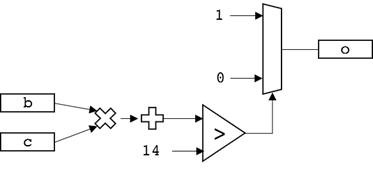
The FPGA physically implements:
- 1 multiplier
- 1 adder
- 1 comparator
- 1 multiplexer
All operating simultaneously in a pipelined architecture:
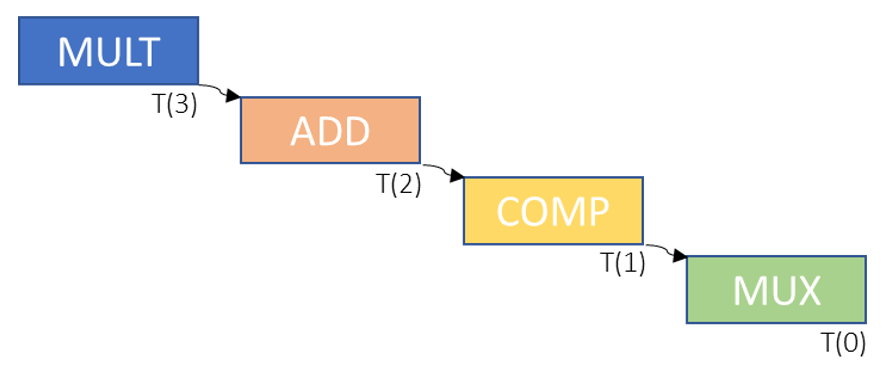
This circuit produces one output every clock cycle, achieving throughput impossible with sequential processing.
Open-FPGA Board Architecture
The firmware in each open hardware card is partitioned into two primary components:
Framework
The framework acts as the backbone of the card, handling:
- ADC and DAC signal acquisition
- Digital I/O management
- Memory management
- Communication protocols (Ethernet, USB, optical links)
The framework manages the entire board transparently from the user’s perspective.
Processing Logic
This is where your custom algorithms run. Users focus entirely on developing their unique processing algorithms within this component.
SCI-Compiler intelligently molds the framework to conform to your block diagram design, bridging the gap between complex hardware management and your algorithm needs.
How SCI-Compiler Works
SCI-Compiler provides a visual programming environment where users connect pre-built, certified processing blocks to create complete systems.
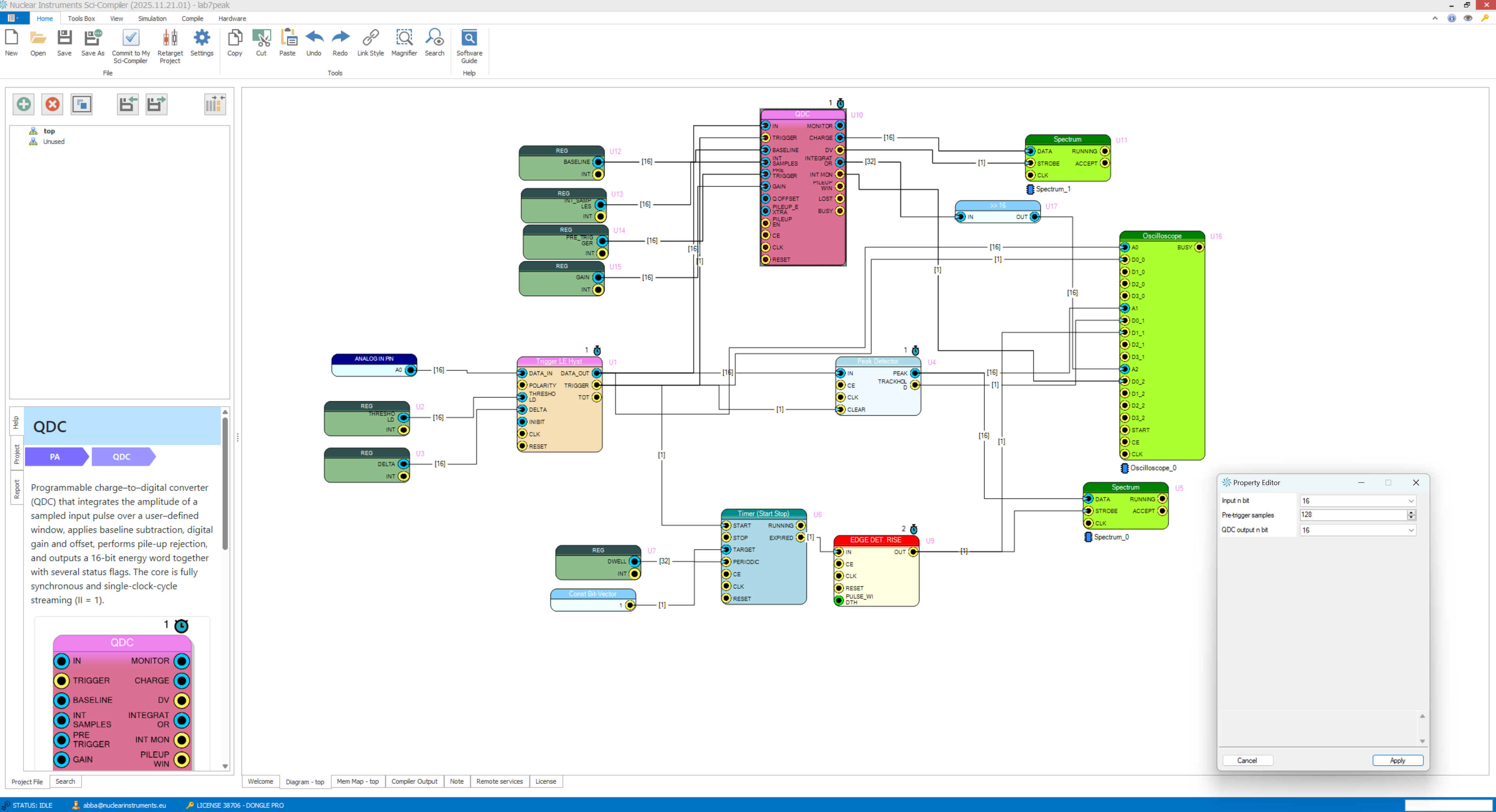
The workflow is:
- Design your firmware visually with a block diagram
- Generate VHDL code automatically
- Compile using Xilinx or Intel tools (local or remote)
- Download firmware directly to the FPGA
- Debug using Resource Explorer
- Integrate with your software using SciSDK
Example: Multi-Channel Analyzer (MCA)
To implement a 1024-channel spectrum analyzer, simply connect:
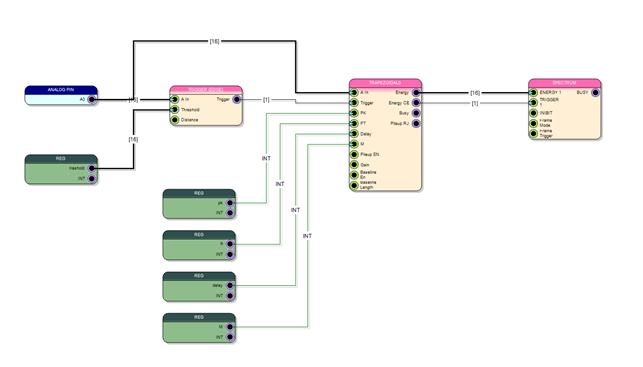
This design includes:
- Analog input from the ADC
- Trigger block for pulse detection
- Trapezoidal filter for energy calculation
- Spectrum block for histogram accumulation
- Register blocks for parameter configuration
Example: 4-Channel Counter
A simple counter system for pulse counting applications:
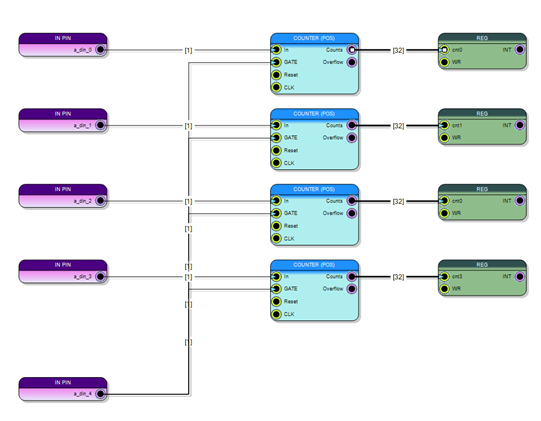
Four input signals connect to counters with a common gate for synchronized measurement. Results are accessible via USB, Ethernet, or VME.
What You Can Do with SCI-Compiler
SCI-Compiler is a versatile tool designed to enhance scientific research and data analysis.
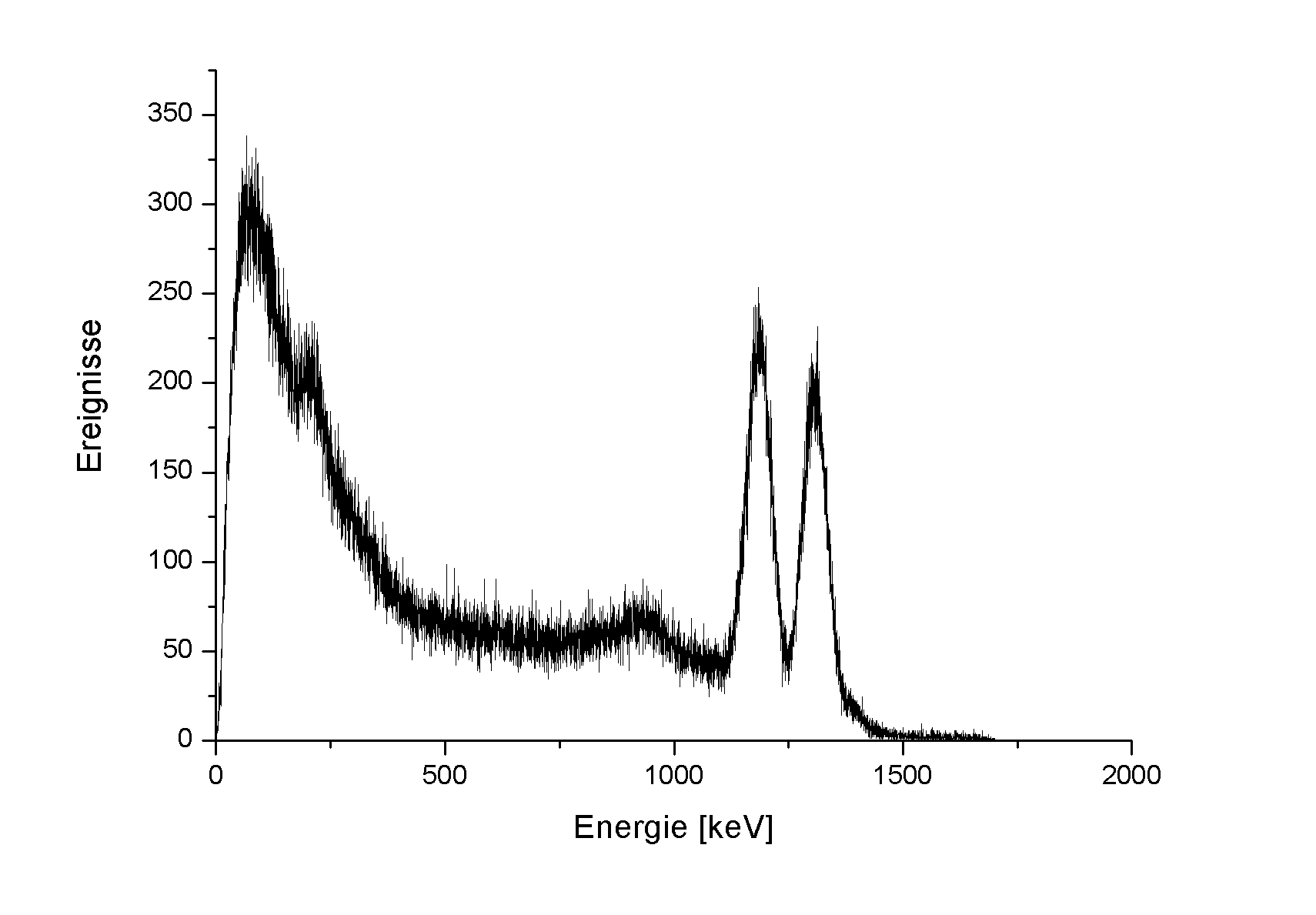
Pulse Height Analysis (PHA)
Perform spectroscopy with unparalleled precision using:
- Trapezoidal filter
- Charge integration
- Peak detection
- User-custom algorithms
Complex Trigger Logic
Convert intricate trigger sequences into a single-board, diagram-based design without compromising the sophistication of your logic systems.
Pulse Shape Discrimination (PSD)
Calculate PSD in real-time using multiple algorithms:
- Exponential tail analysis (scintillators)
- Rise time analysis (He-3 detectors)
- Amplitude vs area ratio
- Dual charge integration
Time Measurements
- Time-of-Flight (ToF)
- Time-over-Threshold (ToT)
- Coincidence timing
- Event time-stamping
Key Features
Comprehensive Block Library
SCI-Compiler includes an extensive library of certified processing blocks:
| Category | Blocks |
|---|---|
| I/O Interface | Digital/Analog inputs, level adapters, board-specific interfaces |
| Logic | Gates, coincidence, counters, timers, flip-flops, state machines |
| Signal Processing | Triggers, shapers, filters, peak detectors, baseline restorers |
| Energy Measurement | Charge integration (QDC), trapezoidal filter, CR-RC², Gaussian |
| Time Measurement | TDC, ToF, ToT, timestamp generators |
| Data Acquisition | Oscilloscope, spectrum, list, digitizer, custom packets |
| Math | Arithmetic, FFT, dividers, multipliers, look-up tables |
Simulation Environment
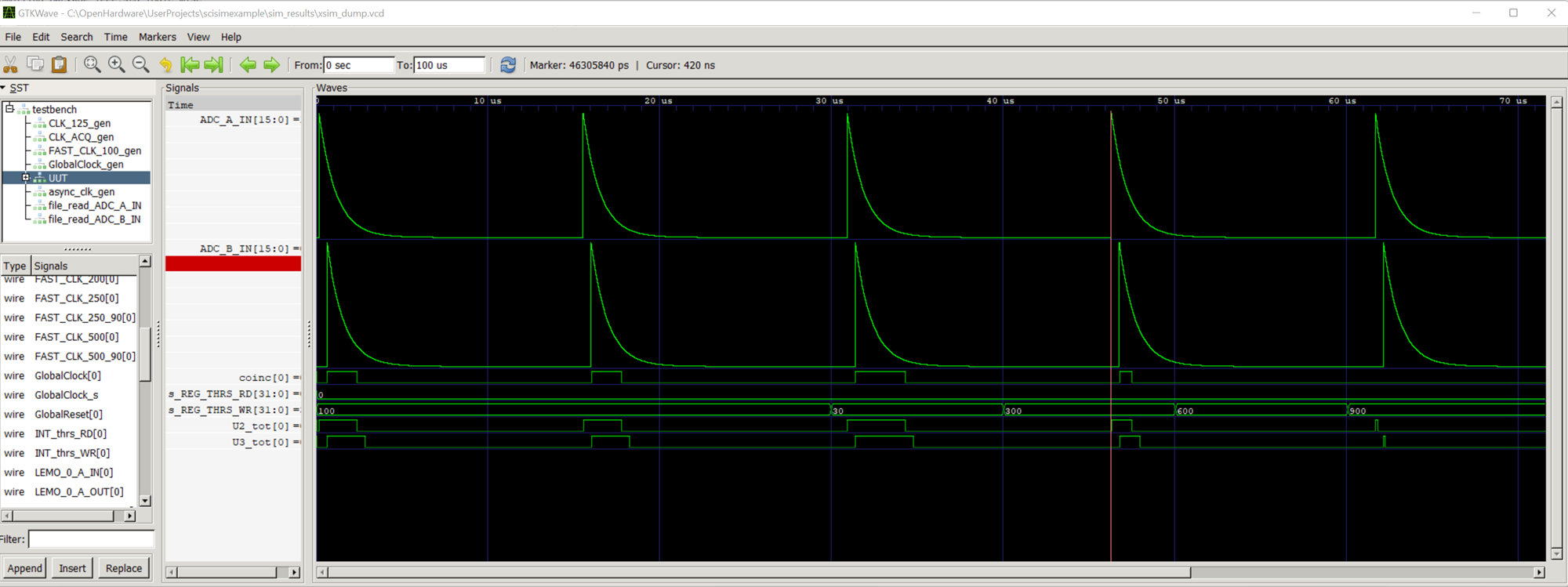
SCI-Compiler is not only a tool for firmware generation but also a powerful simulation platform:
- Time Efficiency: Traditional compilation requires hours; simulation executes in seconds
- Streamlined Debugging: Inspect any net or signal within the design
- Enhanced Test Coverage: Insert critical signals to test edge cases
The integrated detector emulator generates test signals simulating real detectors:
- Load data sequences from real acquisitions
- Generate exponential decay, pulse signals
- Simulate spectra, Poissonian distributions, pileup, noise
Resource Explorer
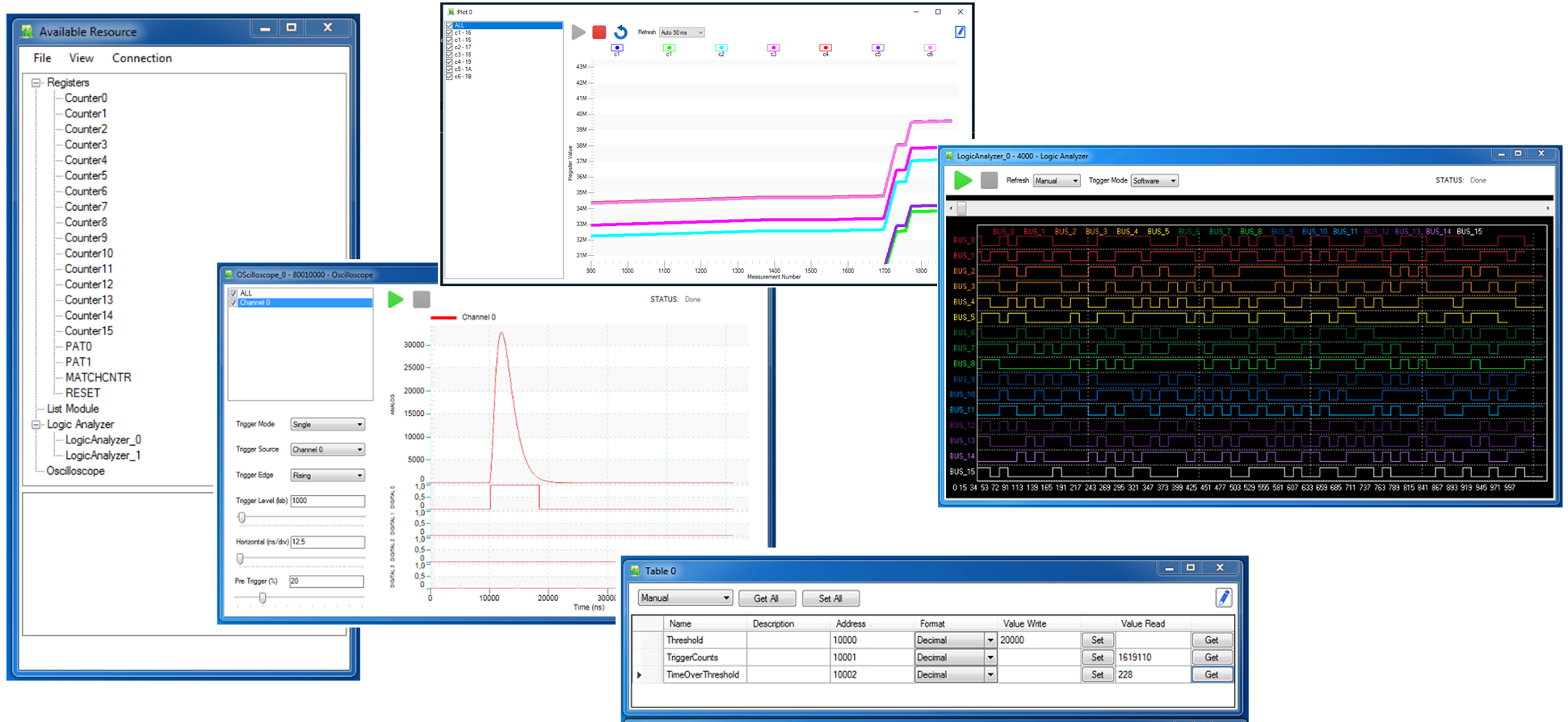
Debug running firmware in real-time with the intuitive graphical interface:
- Enumerate all endpoints in the firmware
- Monitor oscilloscope waveforms
- View spectrum histograms
- Read list data
- Configure settings — all without writing code
Remote Compilation Service
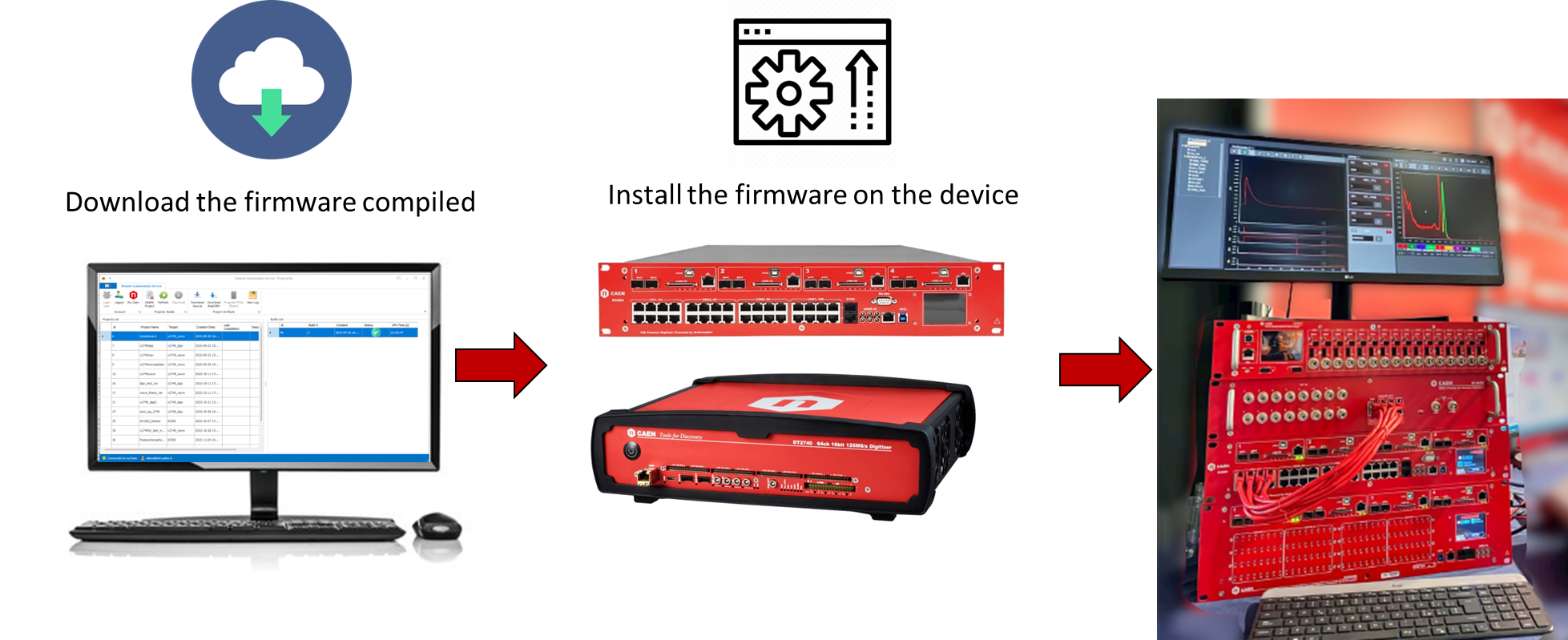
Overcome lengthy compilation times and disk space requirements:
- Send projects to dedicated CAEN servers optimized for FPGA compilation
- Save local computational resources and disk space
- Secure transmission of proprietary designs
- Notification when compilation completes
- Download and program directly from SCI-Compiler
Design Modularity
- Hierarchical design: Create sub-designs for complex systems
- Automatic multichannel: Scale from single to hundreds of channels
- Design reuse: Retarget designs to different boards
- Device synchronization: Synchronize multiple boards
Software Integration with SciSDK
SCI-Compiler generates firmware that integrates seamlessly with SciSDK — a modern, cross-platform library for controlling and reading data from your designs.
SciSDK Documentation: https://sci-sdk.sci-compiler.com
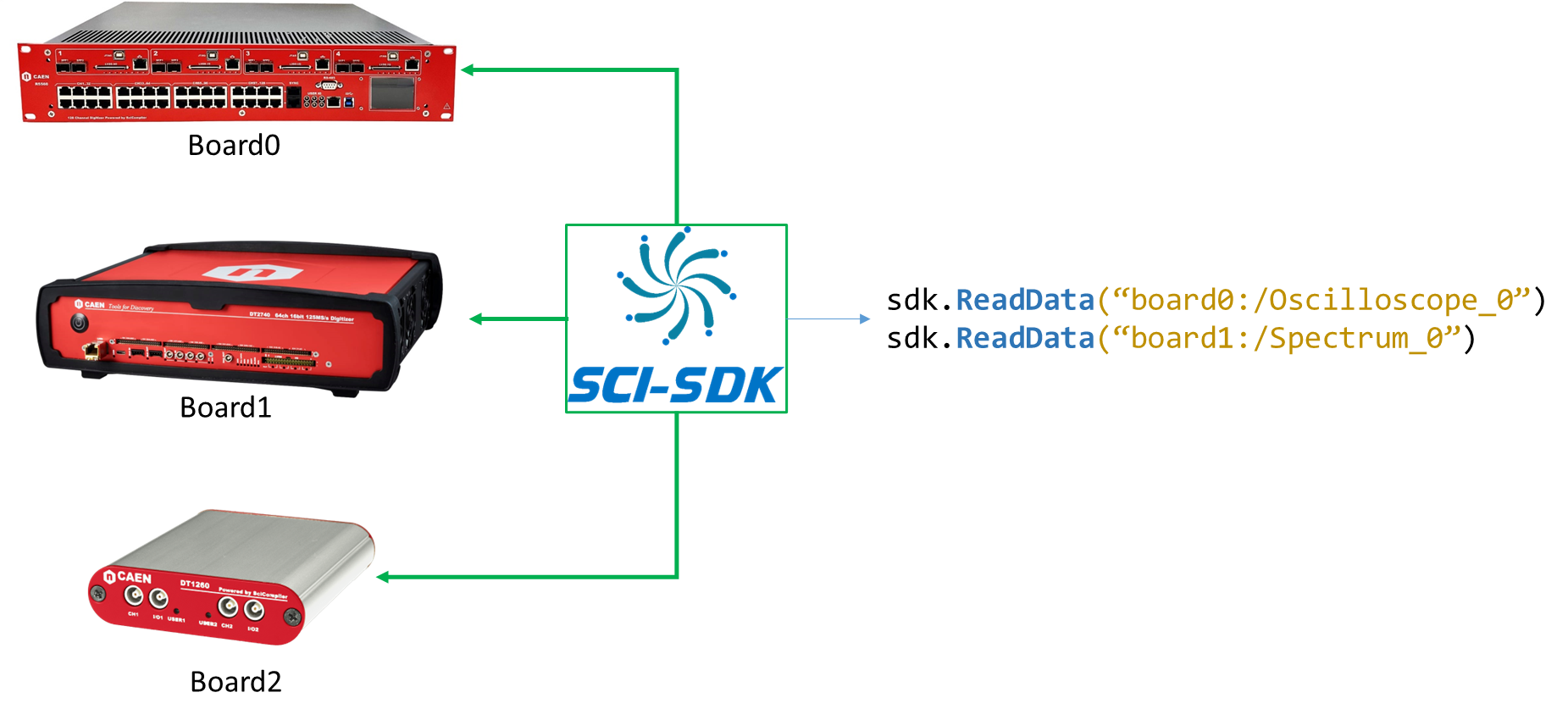
Architecture
SciSDK is composed of several layers:
- Hardware Abstraction Layer (HAL): Device-specific libraries for low-level memory access
- Endpoint Drivers: Interact with SCI-Compiler generated endpoints, decode data
- Firmware Manager: Identifies available endpoints and instantiates corresponding drivers
SciSDK Advantages
| Feature | Benefit |
|---|---|
| Unified API | Single interface for all supported boards |
| JSON-based | Auto-discovers firmware components from description file |
| Cross-platform | Windows, Linux, even Raspberry Pi |
| Multi-language | C/C++, Python, Java, LabVIEW, Node.js, C#, VB.NET, MATLAB, ROOT |
| No regeneration | Firmware changes don’t require library updates |
| Open source | Freely available on GitHub |
Python Example
python
from scisdk.scisdk import SciSDK
# Connect to board
sdk = SciSDK()
sdk.AddNewDevice("usb:10500", "dt5560", "board0", "RegisterFile.json")
# Configure trigger threshold
sdk.SetParameter("board0:/Registers/threshold", 1000)
# Read spectrum data
res, buf = sdk.AllocateBuffer("board0:/MMCComponents/Spectrum_0")
sdk.SetParameter("board0:/MMCComponents/Spectrum_0.rebin", 2)
res, buf = sdk.ReadData("board0:/MMCComponents/Spectrum_0", buf)
if res == 0:
spectrum = buf.data
print(f"Total counts: {sum(spectrum)}")
C/C++ Example
c
#include "SciSDK_DLL.h"
void* sdk;
SCISDK_InitLib("/path/to/RegisterFile.json", "board0", &sdk);
SCISDK_ConnectUSB("usb:10500", "board0", sdk);
// Set trigger threshold
SCISDK_SetParameterInteger("board0:/Registers/threshold", 1000, sdk);
// Allocate and read spectrum
SCISDK_SPECTRUM_DECODED_BUFFER *buf;
SCISDK_AllocateBuffer("board0:/MMCComponents/Spectrum_0",
T_BUFFER_TYPE_DECODED, (void**)&buf, sdk);
SCISDK_ReadData("board0:/MMCComponents/Spectrum_0", (void*)buf, sdk);
printf("Total counts: %d\n", buf->info.total_counter);
Real-World Applications
SCI-Compiler has been deployed in major scientific facilities worldwide.
European Spallation Source (ESS)

ESS has embraced the R5560 module with SCI-Compiler firmware for data acquisition systems across multiple instruments:
- LOKI (SANS)
- BIFROST (Indirect TOF Spectrometer)
- MIRACLES (Backscattering Spectrometer)
- CSPEC (Cold Chopper Spectrometer)
- VESPA (Vibrational Spectrometer)
More than 10,000 channels deployed using SCI-Compiler generated firmware.
Ardesia X-Ray Spectrometer (Politecnico di Milano)
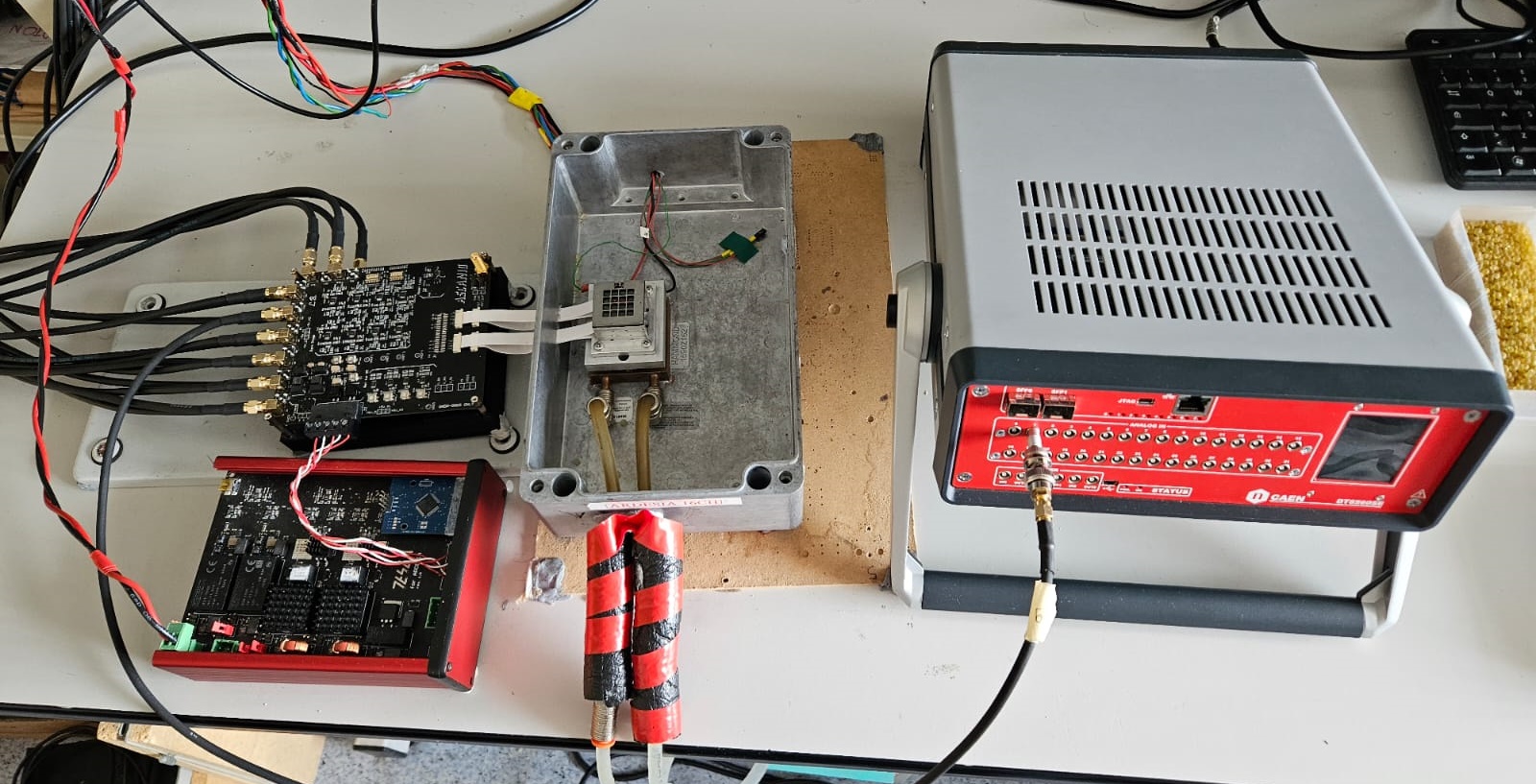
Using the DT5560 with SCI-Compiler firmware:
- Tested to 2.7 million counts per second
- Maintained excellent resolution at high rates
- Near-zero deadtime
Other Applications
- ISIS Neutron Source: Real-time PSD on GS20 scintillator
- IRSN: He-3 position-sensitive tube readout
- INFN: Various nuclear physics experiments
- UNIMIB: Fiber hodoscope for CHNET MAXI
Typical Applications
SCI-Compiler accelerates development across many scientific domains:
Nuclear Physics & Spectroscopy
- Multi-Channel Analyzers (MCA)
- Pulse Shape Discrimination (PSD) for neutron/gamma separation
- Coincidence systems
- Time-of-Flight (ToF) measurements
Particle Physics
- Complex trigger logic
- Time tagging systems
- ASIC readout (SiPM, PMT, strip detectors)
- Event builders
Medical Imaging
- PET/SPECT detector readout
- Gamma camera systems
- Timing coincidence for PET
Industrial & Research
- Wave digitizers
- Logic analyzers
- Custom NIM module replacement
- Feedback control systems (PID)
Supported Hardware
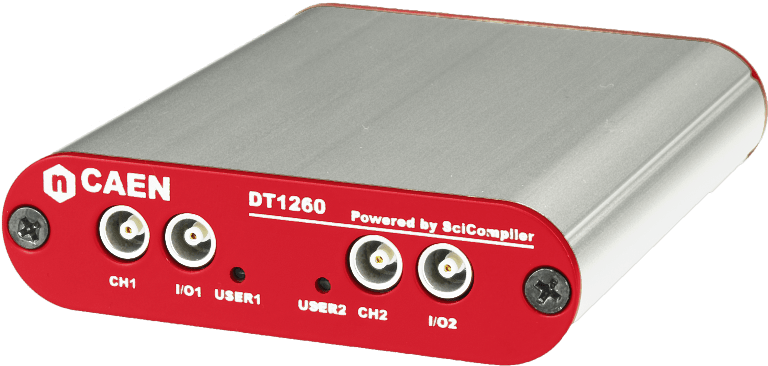
SCI-Compiler supports a diverse array of open FPGA boards:
| Device | Channels | Sampling Rate | Application |
|---|---|---|---|
| DT5560 | 8-16 | 125 MS/s | Desktop pulse processor |
| R5560 | 8-16 | 125 MS/s | Rackmount pulse processor |
| V2495 | 64 | 50 MHz logic | VME programmable logic |
| DT1260 | 1 | 1 GS/s | Entry-level digitizer |
| VX2730/DT2730 | 16 | 500 MS/s | High-speed digitizer |
| DT5550 | 32 | 80 MS/s | Multi-channel system |
| DAQ121 | 32 | 1 GS/s | Ultra-high-speed |
Sampling rates range from 65 MS/s to 1 GS/s, with channel counts from 1 to 128 per module.
Online Resources
Official Website
- Product information and features
- Supported hardware list
- Download links
- Pricing and licensing
Hands-On Labs
https://www.sci-compiler.com/hands-on/
Learn SCI-Compiler through 24 practical hardware labs and 7 simulation exercises:
| Labs | Topic |
|---|---|
| 1-3 | Basic digital design, oscilloscope, threshold discriminator |
| 4-6 | Python integration with SciSDK, waveform plotting, threshold scans |
| 7-11 | Timing measurements (ToF, ToT), list-mode acquisition |
| 12-16 | Advanced triggers, peak detection, charge integration, trapezoidal filter |
| 17-18 | Pulse Shape Discrimination (PSD) techniques |
| 19-22 | Multi-channel designs, sub-blocks, hierarchical architectures |
| 23-24 | Waveform digitizer, PID controller |
| Sim 1-7 | Simulation-based algorithm development |
Community Forum
https://community.sci-compiler.com
- Ask questions and get help from the community
- Share designs and techniques
- Report issues and request features
- Connect with other users
MySci-Compiler Portal
https://community.sci-compiler.com/login
Your private area for:
- License management: View and activate your licenses
- Remote builds: Monitor cloud compilation status
- Project archive: Store projects with version history (like Git)
- Build history: Access all past compilation results
SciSDK Documentation
https://sci-sdk.sci-compiler.com
Complete API reference and examples for software integration.
Getting Started
- Download SCI-Compiler from sci-compiler.com
- Install and activate your license
- Complete the Hands-On Labs to learn the fundamentals
- Design your custom firmware using the visual editor
- Simulate to verify behavior before compilation
- Compile locally or using remote cloud service
- Deploy to your target hardware
- Debug with Resource Explorer
- Integrate with your software using SciSDK
Tip: Start with the simulation labs to understand block behavior before working with hardware.