
One Fill [TM]
Time-multiplexed bit extension operation that increases bit width by padding with ones. Extends binary numbers to wider formats by filling with 1s. Supports configurable alignment (left or right) and TM factors from 2 to 32. Pure combinational logic (zero latency).
Introduction
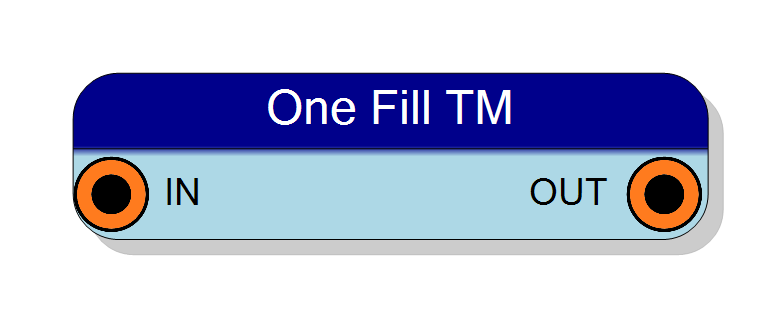
This block performs one-fill bit extension on time-multiplexed (TM) data streams. It extends the input word to a wider output format by appending ones (1s), useful for creating bit masks and special numeric formats.
The operation is purely combinational with zero latency. Ones can be added to either:
- MSB side (RIGHT alignment)
- LSB side (LEFT alignment)
The TM Factor property determines how many parallel samples are processed per clock cycle.
Pin Description
Input Width × TM Factor
Output Size × TM Factor
Output is combinational (zero latency).
Properties
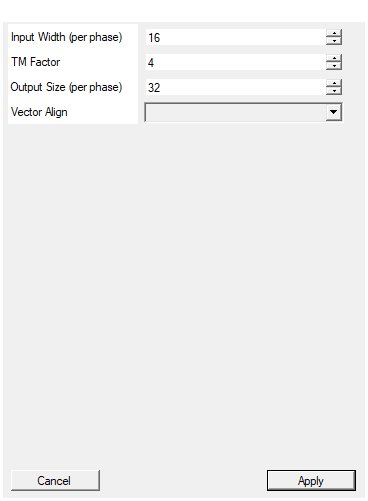
Set the input word size in bits per phase
Number of bits per input sample. Range: 2 – 128. Must be ≤ Output Size.Default: 16
Range: 2 – 128
Set the time multiplexing factor (number of phases)
Time-multiplexing factor (number of parallel phases). Allowed values: 2, 4, 8, 16, 32.Default: 4
Range: 2 – 32
Set the output word size in bits per phase
Number of bits per output sample. Range: 0 – 128. Must be ≥ Input Width. Number of ones added = Output Size - Input Width.Default: 32
Range: 0 – 128
Select if output should be aligned on right (Ones fill the MSBs) or LEFT
Alignment mode:
- RIGHT: Input in LSBs, ones in MSBs
- LEFT: Input in MSBs, ones in LSBs
Default: RIGHT
Options: RIGHT LEFT
Functional description
The component implements one-fill extension in VHDL, replicated N times (where N = TM Factor) to support time-multiplexed data streams.
For each TM phase:
- Input width = Input Width bits
- Output width = Output Size bits (must be ≥ Input Width)
- Padding = Output Size - Input Width one bits
Alignment modes
-
RIGHT alignment (default):
- Input is placed in the LSBs (rightmost bits)
- Ones fill the MSBs (leftmost bits)
- Example: 8-bit
11010110→ 16-bit11111111 11010110
-
LEFT alignment:
- Input is placed in the MSBs (leftmost bits)
- Ones fill the LSBs (rightmost bits)
- Example: 8-bit
11010110→ 16-bit11010110 11111111
Mathematical background
One-fill is commonly used for:
- Creating bit masks with specific patterns
- Ones’ complement operations
- Special fixed-point formats
- Bit field manipulation
Timing
The component is purely combinational with zero latency:
| Property | Latency (clock cycles) |
|---|---|
| One Fill TM | 0 |
All TM phases are processed in parallel within the same clock cycle.
Typical use cases
- Bit mask generation
- Ones’ complement number formatting
- Special bit pattern creation
- Protocol-specific data formatting